To setup OpenVPN on Android smartphone with SSL, Deluxe and Offshore VPN plans use following instruction :
STEP 1 : On your PC go http://www.4shared.com/zip/BS6onhWc/configs43.html and download langganVPN config for android file in you PC. Once you download it connect your android smartphone with USB cable with your PC and transfer file to sdcard of your smartphone.
Please extract and open file "readme.txt" and read instuction on it.


STEP 1 : On your PC go http://www.4shared.com/zip/BS6onhWc/configs43.html and download langganVPN config for android file in you PC. Once you download it connect your android smartphone with USB cable with your PC and transfer file to sdcard of your smartphone.
Please extract and open file "readme.txt" and read instuction on it.
STEP 2 : On your smartphone click on Playstore icon (ex Android market) in Application section
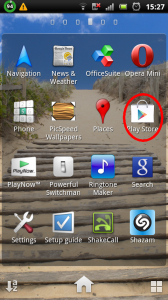
STEP 3 : Now click on search tab and enter feat vpn


STEP 4 : Click On Feat VPN to install it

STEP 5 : Once program is installed, click on open tab to run it
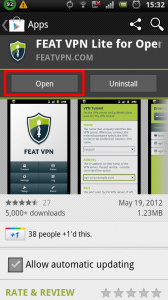
STEP 6 : Accept terms and conditions
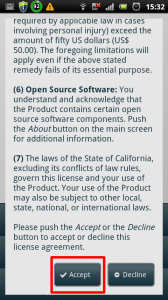
STEP 7 : Click on setup tab and wait until FEAT VPN doesnt complete setup process than click on exit
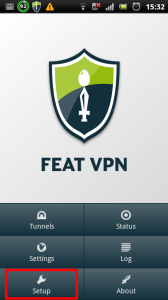
IMPORTANT NOTE : Free version of featvpn, has limititation of 1 hour per day. If you want to use without limititation, you need to purchase full version
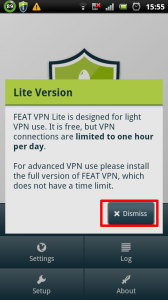
STEP 9 : Click on tunnels
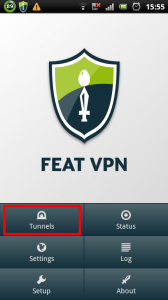
STEP 10 : Click on Add TAB under VPN Tunnels section

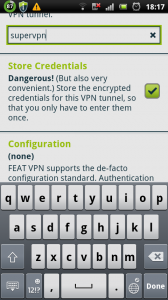
STEP 11 : For VPN tunnel name enter LangganVPN and check Store credentials
STEP 12 : Under configuration section click on Load
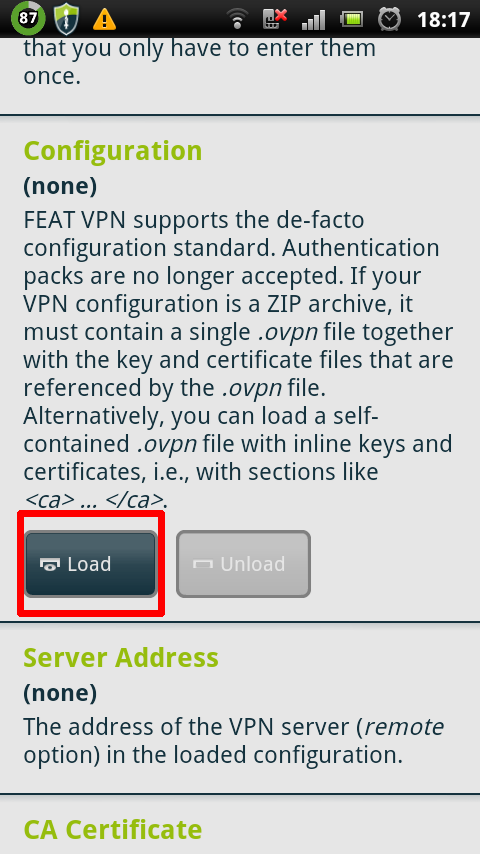
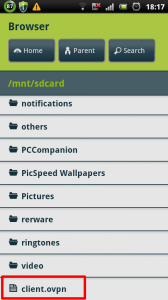
STEP 13 : Click on client.ovpn LangganVPN config file on your SD card
STEP 14 : Now go back than click on your created connection to connect

No comments:
Post a Comment
YEY